I finally decided on PockeTwit for posting to Twitter from my phone. The app has an Iphone like interface with smooth scrolling menus and a full screen display. The developer is actively adding features to it and is very quick to respond to bug reports and general support questions. There’s just one trick to getting used to it, especially on a smartphone. You need to scroll left and right to get to the menus that have all of the post, reply, time line and settings. Once you get used to that you’re good to go.
Author: Matt Walsh
Opera Mobile also has some built in keyboard shortcuts for common tasks. Since I couldn’t find these documented anywhere very well here’s what I’ve found through trial and error:
- 1 – Open URL dialog (also includes history and bookmarks)
- 2 – Window list
- 3 – Home page
- 5 – Toggle images (requires page refresh)
- 6 – Page up
- 8 – Next window
- 9 – Page Down
- * – Full Screen
- # – Toggle between desktop and fit to screen display
- Space – Page down
After trying to get Pocket IE (the Windows Mobile version of Internet Explorer) to behave nicely, and display web pages quickly and in a usable format I finally gave up. I switched to Opera Mobile. It’s not free, but with Firefox Mobile still a ways off the $25 is well spent. Some things that it does better than IE include:
- Formatting pages better for the smaller screen
- Handles multiple windows with ease
- Quicker forward an back functions
- Faster as-you-type URL auto completion
- Quicker loading, rendering and scrolling of large pages
- Option for reporting itself as a desktop browser in case you don’t want the mobile version
There’s a 30-day free trial, so you can try it out yourself before buying it.
The M@’s Picks section of this site has some of my favorite tips, applications and web sites that I use every day. I’ve keeping an eye on my computer usage recently and will be updating it with my favorite windows and windows mobile tips over the next few weeks. Be sure to check it out now, too, since there’s a lot of good stuff archived in there.
Add some holiday cheer to your monitor with Net by Matt’s Virtual Tree.
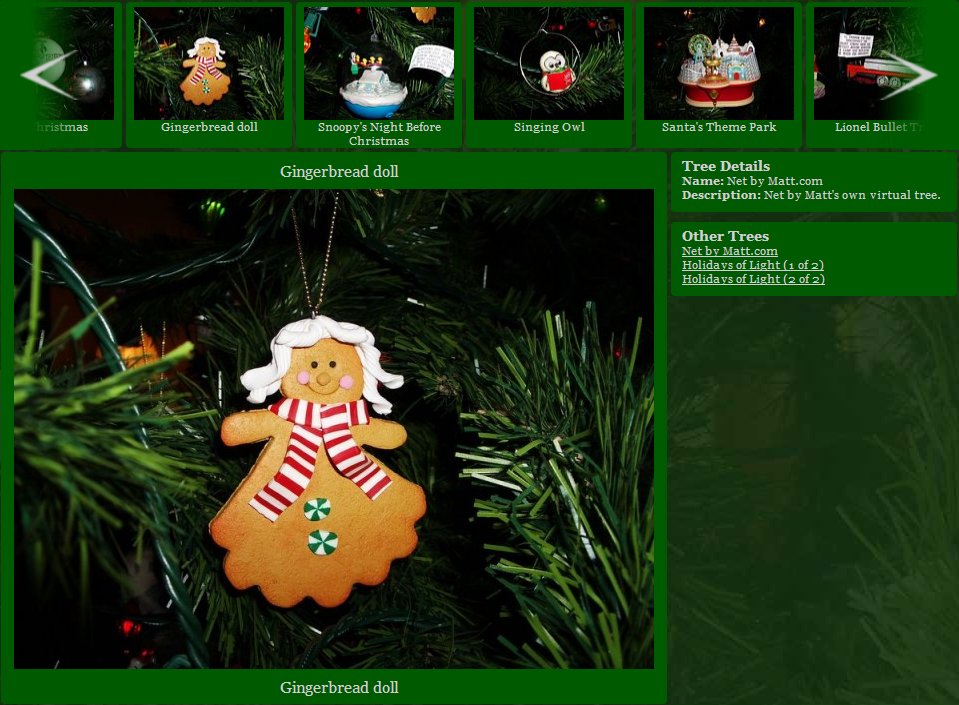
Initially intended to be a way to catalog all the ornaments that we have on our tree at home, I’ve decided to add a few features to it, such as different “trees” that you can browse and opened it up for everyone. Really not much more than a Christmas themed photo gallery, it became my first true adventure into Ajax. You can see this because the page never reloads, and if you’re pay close attention, you’ll see that only 8 ornaments are loaded at a time into the slider at the top of the page. There’s still some work to do on it, here’s what I plan to do:
- More trees and ornaments (This will happen when I get photos of all the ornaments on our tree)
- Search
- Tags
- Better back-end interface